Spacebar Speed Test
Hit spacebar as fast as you can
The Spacebar Speed Test (also called spacebar CPS test or spacebar counter) measures how many times you can press the spacebar per second. It tests your thumb speed and keyboard responsiveness — a popular benchmark among gamers who rely on the spacebar for jumping, bunny-hopping, or blocking in games. Most users on ToolsBracker score between 5–9 spacebar presses per second.
How to Use
- 1Select your preferred test duration
- 2Press the spacebar to start the timer
- 3Keep pressing spacebar as fast as possible
- 4Your hits per second score appears when time is up
Spacebar Speed Tiers: Where Do You Land?
Your thumb is the strongest digit on your hand, but it is also the slowest to repeat a motion. That is why spacebar scores run lower than mouse CPS for almost everyone. Here is how the community breaks down:
| Presses / Second | Tier | 10-Second Total |
|---|---|---|
| 3-5 | Beginner | 30-50 presses |
| 5-8 | Average | 50-80 presses |
| 9-12 | Trained | 90-120 presses |
| 12+ | Elite | 120+ presses |
Your Keyboard Is Half the Score
The spacebar is the most mechanically complex key on your board. It needs stabilizer bars to keep that long keycap level, and cheap stabilizers rattle and bind, eating precious milliseconds on every press. Membrane boards add another penalty: the rubber dome under the spacebar needs a full bottom-out before it registers, then a full return before it can fire again.
A mechanical board with a linear switch resets the key partway up its travel, so your next press registers sooner. If your score feels stuck below 6 presses per second no matter how hard you grind, test on a friend's mechanical keyboard before blaming your thumb.
What Is a Good Spacebar CPS?
A good spacebar CPS is anywhere from 8 presses per second upward. Hit 8 and you are already past most people, who sit in the 5 to 7 range on a first try. Cross 12 and you are in the territory serious clickers train for, the same way they grind their mouse CPS. The reason the number runs lower than mouse clicking is simple: your thumb fires one muscle group in one direction, so there is no butterfly or jitter trick to double it.
Where the score actually earns its keep is in games. In Minecraft, bridging and jump-resets ride on how fast you can tap space, so a quick thumb directly feeds the same fights your mouse CPS decides. Platformers like Geometry Dash and Terraria lean on rapid jump spam during the hardest sections. If a level keeps killing you on a wall of jumps, your spacebar speed is often the bottleneck, not your timing. Want the full picture of your hardware first? Run the keyboard test to confirm every press is registering before you chase a higher number.
What is a Good Score?
A typical spacebar speed test score is 5–8 hits per second. Practiced users often reach 9–12 per second. Scores above 12 are considered excellent. On a 10-second spacebar test, landing 80+ total presses puts you in the top tier.
Tips to Improve
- →Use the pad of your thumb for the most natural and fast spacebar motion
- →Keep your thumb close to the spacebar between presses to minimise travel distance
- →Relax your hand — tension slows you down significantly
- →Practice in short bursts of 5 seconds to build speed before moving to longer durations
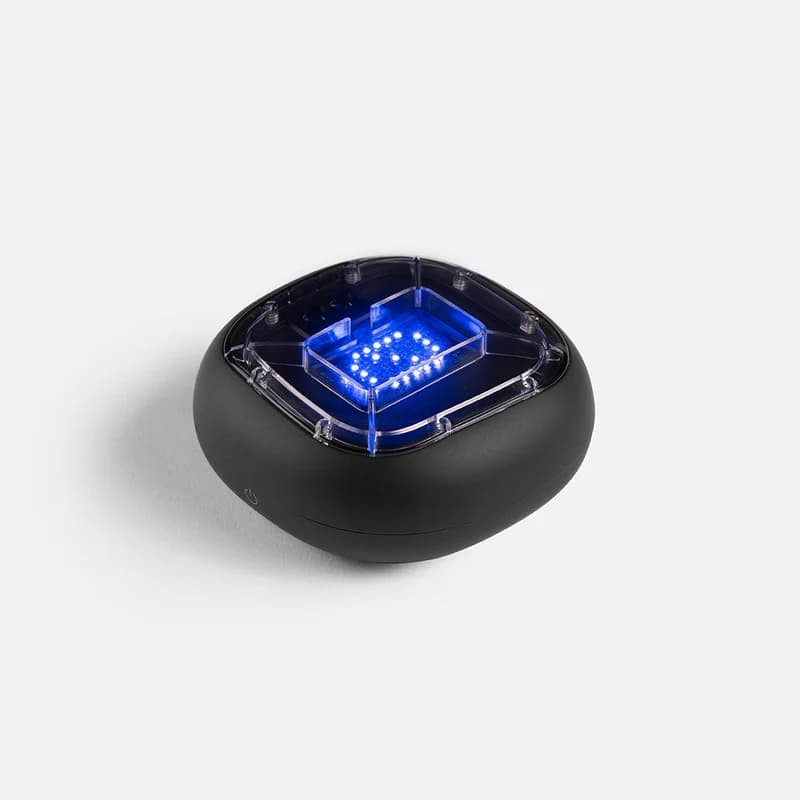
Physical training with A-Champs ROX sensors develops reaction speed faster than screen-only drills. Affiliate link — we may earn a commission at no extra cost to you.
Frequently Asked Questions
What is a good spacebar hits per second score?
Average is 5–8 hits per second. Scores of 9–12 are very good. Above 12 per second is elite territory for the spacebar speed test.
Does keyboard type affect spacebar speed?
Yes. Mechanical keyboards with linear switches (like Cherry MX Red) have lighter actuation and faster reset, making fast spacebar pressing easier than on membrane keyboards.
Why do gamers need fast spacebar speed?
In games like Minecraft, Terraria, and various platformers, spacebar controls jumping. Faster spacebar pressing allows for better bunny-hopping, bridging, and rapid-fire jumps.
How is spacebar speed different from CPS?
CPS (Clicks Per Second) typically refers to mouse clicking speed. Spacebar speed tests your thumb and the keyboard's spacebar key specifically. The mechanics are different — most people are slower on the spacebar than with mouse clicks.
Think your thumb is faster than 8 presses a second? Run the test above and find out where you really land.
Also Try
Built and maintained by Abdul Shakoor. Every test runs locally in your browser, free with no signup.