How to Drag Click: Step-by-Step Guide to 25-40 CPS
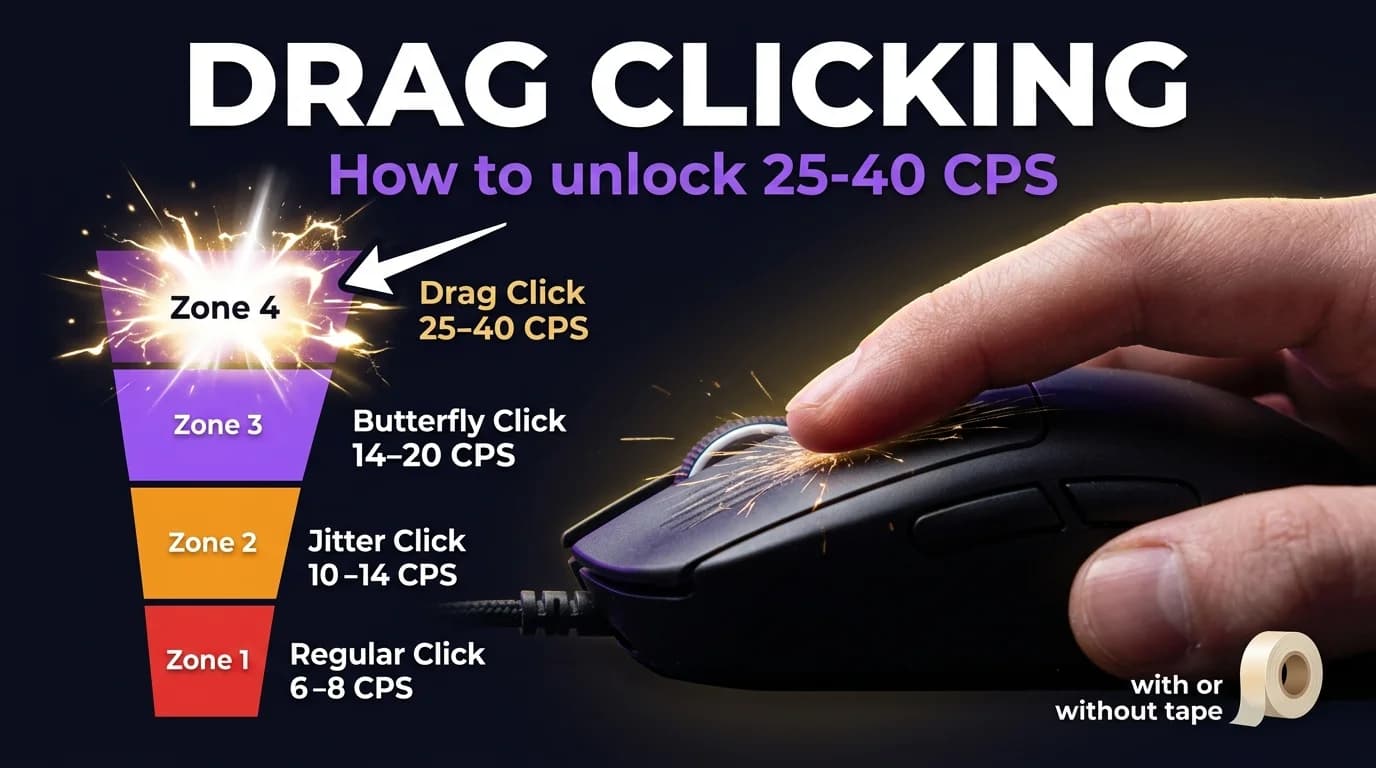
Drag clicking is the only clicking technique where your CPS does not come from how fast your finger moves. It comes from friction. A slow deliberate drag across the mouse button can register 25-40 clicks per second consistently. Here is exactly how it works and how to do it.
Drag clicking works by dragging your finger across the mouse button to generate friction-based clicks. Done correctly, it produces 25-40 CPS consistently — significantly higher than regular clicking.
What Is Drag Clicking?
When you drag your finger across the mouse button instead of pressing it normally, the friction between your fingertip and the button surface causes the switch to register multiple clicks in a single motion. This is not a software trick or macro. It is a physical phenomenon caused by the microscopic stick-slip motion between skin and button surface.
The result: 25-40 CPS from a single slow finger motion that takes less effort than regular clicking. The physics are doing the work, not your hand speed.
Drag clicking was discovered accidentally by Minecraft players who noticed their CPS spiking when their finger slipped on the mouse button. What looked like a mistake turned into the highest CPS technique in competitive play.
Does Your Mouse Support Drag Clicking?
This is the most important thing to check before you practice. Most mice cannot drag click because modern optical switches debounce too aggressively. Debouncing filters out unintentional double-clicks. It also filters out drag clicks.
Mice that support drag clicking well: the Razer DeathAdder V2, Glorious Model O and Model D, Roccat Kone Pro, and the Logitech G502 with the tape method. Mice that struggle: anything with optical switches like the Razer Viper or Logitech G Pro X Superlight, budget mice with heavy debounce, and anything older than five years.
To test your mouse, go to the drag click test and slowly drag your finger across the button. If you see 10+ CPS from a single slow drag your mouse supports the technique. If you see 1-3 CPS your mouse has aggressive debounce and will fight you every attempt.
Budget options like Redragon mice and the SteelSeries Rival 3 also support drag clicking — test yours on the drag click test before spending money on new hardware.
How to Drag Click: Step by Step
Step 1: Dry your hands. Drag clicking requires friction. Sweaty or wet fingers reduce friction dramatically and make the technique nearly impossible. Dry your fingertip thoroughly before every session.
Step 2: Angle matters. Place your finger at roughly 30-45 degrees to the mouse button rather than flat. This increases the surface area creating friction and gives you more consistent results.
Step 3: The motion. Start your finger near the back of the mouse button. Apply moderate downward pressure and drag forward toward the front of the button. The motion should be slow and deliberate, not fast.
Step 4: Feel for the vibration. When drag clicking works you will feel a slight buzzing sensation as the switch registers multiple times. That vibration is the friction creating the clicks. If you feel nothing, you are not applying enough pressure or your mouse does not support it.
Step 5: Use the tape method. Apply electrical tape or masking tape to your fingertip or directly to the mouse button. Tape increases friction significantly and makes drag clicking accessible on mice that normally struggle. Replace the tape when it wears smooth.
If you play Minecraft PvP, drag clicking in Minecraft is especially useful for bridging and combat where consistent high CPS gives you a real edge.
How to Drag Click with Tape
To drag click with tape, apply a small strip of electrical tape to your finger or directly onto the mouse button surface. Tape creates a rougher contact point that amplifies the friction-based stick-slip motion, making it easier to trigger on mice that normally struggle with the technique.
Electrical tape and masking tape both work. Cut a strip roughly 1-2 cm wide, apply it flat with no wrinkles, and replace it when the surface wears smooth or starts to feel slippery. Most players go through one strip every few sessions.
Drag Click CPS Expectations
Here is where most guides mislead you. Drag clicking CPS numbers look great on paper but vary wildly in practice.
| Stage | Typical CPS | Notes |
|---|---|---|
| Just learning | 10-15 CPS | Still finding the angle |
| Getting consistent | 15-25 CPS | Technique clicking in |
| Comfortable | 25-35 CPS | Sustainable in matches |
| Advanced | 35-50 CPS | Requires ideal conditions |
Unlike butterfly clicking where you get similar numbers each attempt, drag clicking varies based on finger moisture, room temperature, and how worn your mouse button surface is. A drag clicker who averages 30 CPS might get 15 CPS in one attempt and 45 CPS in the next. That inconsistency is the technique's biggest weakness in actual play.
Track your numbers with the CPS test across multiple attempts to find your realistic average, not just your best run.
Drag Click vs Other Techniques
Here is where drag clicking fits against everything else:
| Technique | Max CPS | Consistency | Aim | Mouse Wear |
|---|---|---|---|---|
| Regular click | 6-10 | Very high | Best | Minimal |
| Jitter click | 10-14 | High | Good | Low |
| Butterfly click | 14-22 | Medium | Reduced | Medium |
| Drag click | 25-50 | Low | Hardest | High |
Drag clicking wins on raw CPS but loses on every other metric. Most competitive players use butterfly clicking for consistent high CPS in actual matches and save drag clicking for specific scenarios like bridging in Minecraft where CPS matters but aim does not.
If you are new to high-CPS techniques, jitter clicking or butterfly clicking will serve you better in real matches. Drag clicking is a specialist tool, not an all-purpose upgrade.
Is Drag Clicking Allowed?
Most competitive servers detect and ban drag clicking because the CPS numbers are unrealistically high. 25-50 CPS triggers anti-cheat on virtually every competitive server with detection enabled.
Where drag clicking is usable: practice servers to build muscle memory, casual servers with no anti-cheat, Bedwars and bridging scenarios where some servers explicitly allow it, and testing your own CPS baseline.
Always check server rules before using it in real matches. Getting banned for 40 CPS drag clicking on a vanilla server is avoidable.
Frequently Asked Questions
Can you drag click on any mouse?
No. Most mice with optical switches or aggressive debounce cannot drag click reliably. The Glorious Model O, Razer DeathAdder V2, and Roccat Kone Pro are known to support it well. Test your mouse with a slow drag on the drag click test to see if it registers multiple clicks.
Does drag clicking damage your mouse?
Yes, more than any other technique. The constant friction wears down both the button surface and the switch faster than normal clicking. Heavy daily drag clicking can reduce a mouse's lifespan from years to months. Budget mice may develop double-click issues or stop registering drag clicks within weeks.
How do you drag click with tape?
Apply a small strip of electrical tape to your fingertip or directly to the mouse button. Tape creates a rougher surface that increases friction, making drag clicking easier and more consistent on mice that struggle with the technique normally. Replace the tape when it gets worn smooth.
What is the highest CPS from drag clicking?
In ideal conditions with a well-suited mouse, drag clicking can produce 50-100 CPS in a single motion. However these numbers are inconsistent and impossible to sustain. For competitive play 25-35 CPS is a realistic consistent target.
Is drag clicking cheating?
Drag clicking is a physical technique using standard hardware with no software assistance. However most competitive servers ban it because the CPS numbers exceed what normal clicking can produce. Whether it is cheating depends entirely on the server rules. Check before you use it in matches.
Why is my drag click not registering?
Most likely your mouse uses optical switches, which can't produce the friction drag clicking needs. If your mouse supports it but still drops clicks, dry your hands and slow down your drag motion. Test your results on the drag click test to confirm the technique is working.
Now you know how it works. The only way to know if your mouse actually supports drag clicking is to test your drag click CPS. A slow drag on a mouse that supports it will immediately show you 20+ CPS.
Free, no signup, results in seconds.
Take the Drag Click Test