Free Online Aim Trainer
Click targets to improve accuracy
The Aim Trainer is a free browser-based tool that measures and trains the three core aiming skills used in competitive FPS games: flick aiming (snapping to a new target fast), target tracking (staying on a moving enemy precisely), and target switching (moving between multiple targets without overshooting). Click each target as it appears and the tool calculates your accuracy percentage and average reaction time across the session. Players use it as a daily warmup before Valorant, CS2, and Apex Legends, typically 10 to 15 minutes before queuing. It runs in any browser with no download or install, making it one of the only aim trainers that works on school and work networks. Peer-reviewed research confirms that deliberate aim training produces measurable improvement in as few as 3 to 5 days of focused sessions. See Does Aim Training Actually Work? for the full science.
How to Use
- 1Click Start to begin a training session
- 2Click each target the moment it appears — speed and accuracy both count
- 3Missed targets are logged against your accuracy percentage
- 4Review your hit rate, miss count, and average reaction time on the results screen
What is a Good Score?
Beginners average 50 to 65% accuracy. Players who train consistently for 2 to 4 weeks typically reach 70 to 85%. Competitive FPS players maintain 85 to 95% on standard target sizes. Professional-level aim is above 90% even on smaller targets at full speed. If you are under 70%, slow down and focus on deliberate center-hits before chasing speed. Once you are consistently above 85%, reduce target size or increase move speed for the next level of challenge. Your accuracy number only tells half the story — your reaction time per click shows how much speed you are trading for that precision.
Tips to Improve
- →Aim with your arm for big flicks, use your wrist only for micro-adjustments. Elbow-based movement is more consistent under pressure.
- →Train at lower DPI than feels natural. Most Valorant and CS2 pros use 400 to 800 DPI. High sensitivity hides poor movement habits.
- →Keep sessions to 10 to 20 minutes of focused clicking. Beyond that, fatigue sets in and you start reinforcing sloppy habits instead of good ones.
- →Hit the center of each target, not just the hitbox edge. Center clicking transfers directly to headshot consistency in real matches.
- →Use this as a warmup before queuing, not a replacement for in-game practice. 10 minutes on the aim trainer then jump straight into your first game.
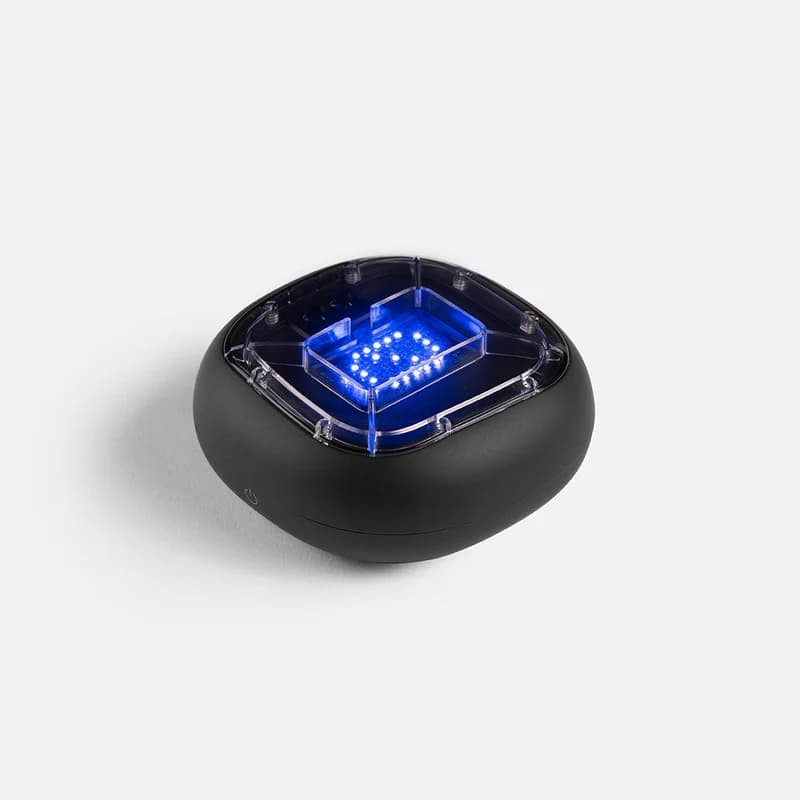
Physical training with A-Champs ROX sensors develops reaction speed faster than screen-only drills. Affiliate link — we may earn a commission at no extra cost to you.
Frequently Asked Questions
Does aim training actually transfer to real games?
Yes. A 2021 study by Toth and Campbell at the University of Limerick found that deliberate practice on component aiming skills produced significant improvement across all player skill levels, and that the improvement transfers beyond the specific trained task. See Does Aim Training Actually Work? for the full research breakdown.
What DPI and sensitivity should I use for aim training?
Most professional FPS players use 400 to 800 DPI with low in-game sensitivity. Lower DPI forces larger arm movements, which build more consistent muscle memory than high-sensitivity wrist aiming. If your current sensitivity feels very twitchy, drop it by 20% and train at that new setting for a week before adjusting again.
How long should I aim train per day?
10 to 20 minutes of focused aim training per day produces better results than one long session per week. Consistency is the key variable, not total volume. Research supports short daily sessions over long infrequent ones. See How Long Should You Aim Train Per Day? for the science-backed answer.
What is a good accuracy score on the aim trainer?
50 to 65% is beginner range. 70 to 85% is competitive player range. 85 to 95% is advanced FPS player range. Consistently above 90% on standard targets means you are ready to challenge smaller targets or faster movement speeds. If you are under 70%, prioritize deliberate center hits over clicking speed.
What aim trainer do pro players actually use?
Most professional FPS players use KovaaK's or Aim Lab for desktop training. KovaaK's is popular in the CS2 pro scene. Aim Lab is widely used in Valorant, with pro players like TenZ having documented their aim training routines publicly. See What Aim Trainer Do Pros Use? for a full breakdown by game and player.
Is aim training worth it for casual players?
Yes, especially players in the 50 to 80% accuracy range — there is room to improve quickly and it transfers directly to in-game results. At very high levels the gains get smaller and game-sense work becomes more important. See Is Aim Training Worth It for FPS Games? for the full honest answer by skill level.
What is the difference between flick aim and tracking aim?
Flick aim is snapping your crosshair to a stationary target quickly — the core skill for killing peekers in CS2. Tracking aim is following a moving target and keeping your crosshair on them — critical in Overwatch and Apex Legends. Most FPS games require both, but different roles lean harder on one over the other. This aim trainer exercises both.
How is accuracy calculated?
Accuracy is your successful hits divided by total target appearances during the session, shown as a percentage. A missed target counts as an attempt. The timer measures the gap between each successful hit to calculate your average reaction time per target. Both numbers update live during the session.
How does this compare to Aim Lab or KovaaK's?
Aim Lab and KovaaK's offer more advanced scenarios, detailed analytics, and larger scenario libraries. This browser aim trainer is the right tool when you need a zero-friction warmup, cannot install software, or want to test your baseline before investing in a desktop trainer. It loads in any browser in under 5 seconds.
Is this aim trainer unblocked at school or work?
Yes. ToolsBracker runs entirely in your browser with no downloads, plugins, or installs. It works on school and work networks because it is a standard website, not a blocked game client or application.
Also Try
Built and maintained by Abdul Shakoor. Every test runs locally in your browser, free with no signup.