How to Increase Your CPS Score: Techniques That Work
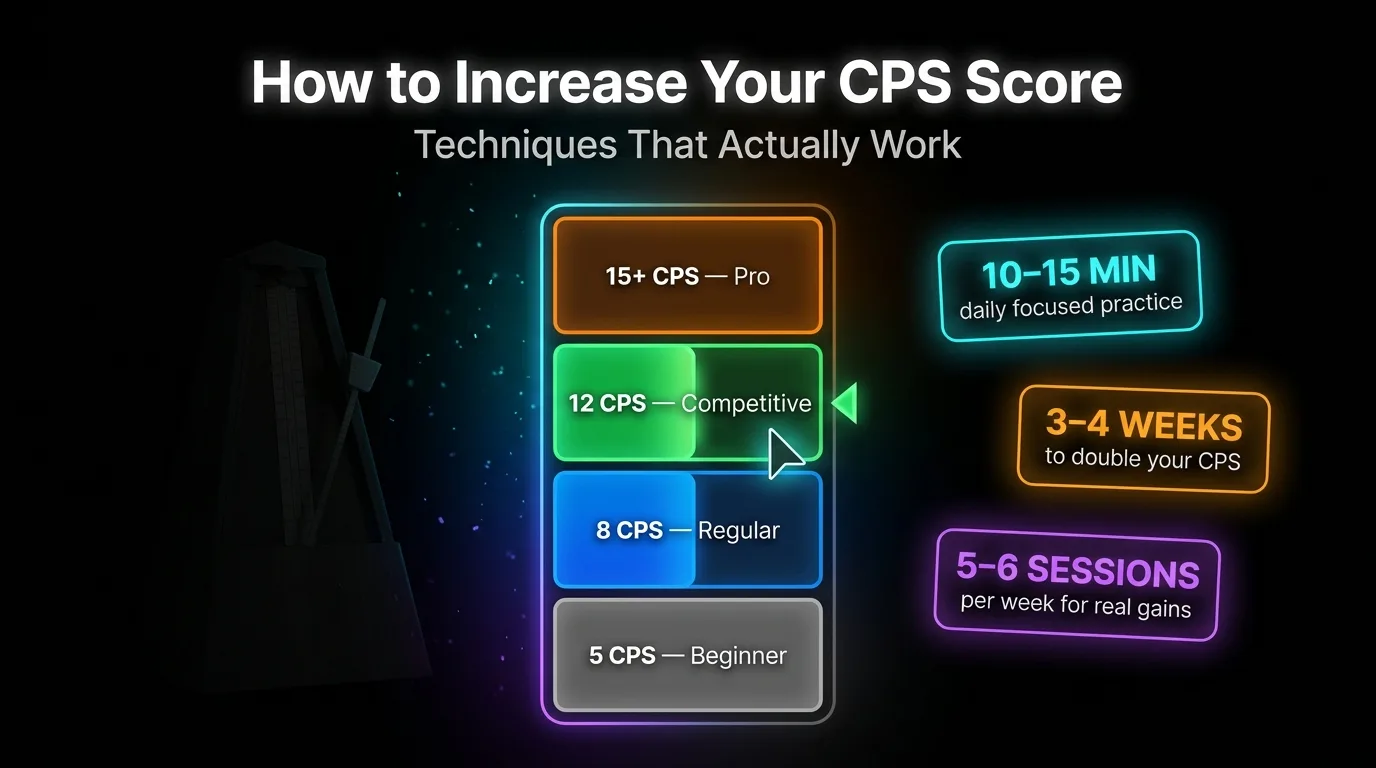
Increasing your CPS score comes down to three things: the right technique for your target range, a structured training protocol, and enough recovery between sessions. Most players plateau at 7-9 CPS not because they lack talent but because they are grinding wrong. Here is a complete system, from finger placement to weekly schedule, backed by motor science.
Know Your Target Range Before You Train
Choosing the wrong technique for your target CPS is the single most common reason players stall. If you want 8 CPS, learning butterfly clicking is overkill. If you want 18 CPS, refining regular clicking will never get you there. Match your method to the number you are actually chasing. Here is what what counts as a good CPS score looks like by technique.
| Target CPS | Best Technique | Realistic Timeline |
|---|---|---|
| 5-9 CPS | Regular clicking | 3-4 weeks |
| 9-14 CPS | Jitter clicking | 6-8 weeks |
| 12-25+ CPS | Butterfly clicking | 8-12 weeks |
| 25+ CPS | Drag clicking | Not a trainable motor skill |
Drag clicking is a friction-based technique. The clicks come from stick-slip physics between your fingertip and the button surface, not from trained motor output. You cannot progressively overload a physical phenomenon the way you can a motor pattern, so drag clicking is excluded from this improvement framework.
The Training Protocol That Actually Works
Grinding random click sessions for two hours does not build CPS. It builds fatigue and bad mechanics. Research by Bächinger et al. established that 10-second maximum effort bursts trigger central nervous system motor slowing, where your CNS throttles output to compensate for accumulated fatigue. Short bursts with real rest between them are measurably more effective than continuous grinding.
Structure every session this way: 5 minutes warm-up, 10-15 minutes focused click tests, 20-30 minutes in-game integration, 2 minutes cool-down. The whole block stays under one hour. Sessions running 1-2 hours or more cause motor pattern drift, where your CNS recruits non-optimized muscle groups to compensate for fatigue. You end up reinforcing poor mechanics and increasing RSI risk at the same time.
Between each click test set, take exactly 60 seconds of rest. This is the ATP/PCr resynthesis window for the phosphocreatine energy system your fast-twitch finger flexors rely on. Cut it short and the next set is weaker from the start.
Run 5-6 sessions per week with 1-2 full rest days for connective tissue repair. Frequency beats duration every time.
Progressive Overload via Metronome
Random clicking does not force adaptation. Structured overload does. Start at a stable frequency, for example 4 Hz which equals 8 CPS, and click in time with a metronome at that rate. Once you can hold perfect rhythm for 30 consecutive seconds, increase by 0.5 Hz. This forces your motor cortex to refine its timing signals rather than just grinding volume at whatever speed feels comfortable.
Community coaches Xenovox and Sackboy Clank both recommend technique isolation: train only one clicking method per day. Mixing jitter and butterfly practice in the same session causes motor schema interference, where competing movement patterns overwrite each other before either solidifies. One method. One session. The highest CPS ever recorded was built on this kind of methodical progression, not random grinding.
Fix Your Technique and Hardware First
Finger placement determines how much force each click requires. Position your fingertip at the distal edge, the very top, of the mouse button. At this position the button shell acts as a lever, reducing the force your finger needs to actuate the switch. Most players rest their finger too far back, which multiplies the required effort and cuts their sustainable CPS ceiling.
Keep your forearm flat on the desk at 90 degrees with your wrist neutral at elbow height. This position offloads grip pressure from your tendons and lets your finger work in isolation.
Why You Hit the 7-9 CPS Wall
The plateau at 7-9 CPS is not a talent ceiling. It is a physiological one caused by reciprocal inhibition failure. As you try to accelerate, the antagonist muscle in your finger starts contracting before the agonist muscle has fully relaxed. The result is joint stiffness that acts as a physical brake on your click rate. More reps at the same speed does not fix this because you are reinforcing the same faulty timing pattern.
Stimpy, a well-known competitive clicker, reached 11-12 CPS through regular clicking alone by mastering what researchers describe as localized micro-tremor in the finger tendon sheath. The technique: tense your primary finger tendons while keeping your forearm completely relaxed. This isolates the movement to the finger itself and avoids the whole-arm tension that triggers reciprocal inhibition. Fujii et al. 2009 and 2011 documented how expertise in fast finger movement relies on co-contraction refinement, where trained players activate only the muscles needed and suppress everything else.
Grip and Hardware Settings
Palm grip maximizes static load on your flexors and makes high CPS virtually impossible. Claw grip shortens the functional tendon length by arching your fingers, which is why it is the standard grip for jitter clicking and butterfly clicking. Fingertip grip gives the most individual finger mobility but fatigues the fastest.
Chen et al. 2012 found that a 130g mouse produces the lowest overall muscle activity during clicking tasks. Competitive players tend toward sub-80g mice for raw speed, but the performance gap is smaller than the marketing suggests. What matters more than weight: disable Enhance Pointer Precision in Windows Settings. This setting applies a non-linear acceleration curve to cursor movement that breaks the stable physical-to-virtual motor mapping your brain needs to build consistent click mechanics. Enable hardware acceleration in Chrome and Firefox as well. At 15+ CPS, dropped click events become a real problem without it. Take the CPS test with and without hardware acceleration enabled and see the difference yourself.
Warm-Up, Recovery, and Overtraining Signs
Five minutes of warm-up before every session is not optional. Cold tendons and ligaments have lower elasticity, which raises injury risk and caps your early-session performance. Run through three exercises before you touch the mouse.
Wrist CARs: 15 slow controlled circular rotations in each direction, moving through the full range of motion. Finger Lift-offs: 2 sets of 12 reps, lifting each finger individually off a flat surface while keeping the others down. This builds the independent finger strength butterfly clicking relies on. Prayer and Reverse Prayer stretches: palms pressed together in front of your chest, hold 30 seconds, then back of hands pressed together for another 30 seconds.
Dr. Levi Harrison, whose hand and wrist protocols have become a reference point for APM optimization in competitive gaming, recommends nerve gliding and flossing for 2-3 minutes every 3 hours of training. Full ergonomics protocols and exercise guides are available at 1HP gaming ergonomics.
Overtraining shows up as localized sharp or burning pain in your finger joints, noticeable coordination loss between attempts, and persistent muscle tremors where your hand vibrates slightly when holding a heavy object. Stop immediately at any of these signs. They are connective tissue signals, not muscle soreness.
Fitts' Law states that as movement speed increases, the time budget available for micro-adjustments shrinks. At high CPS your finger has less time to correct its position between clicks, which is why accuracy drops as speed climbs. This is not a failure of technique. It is physics. Train accuracy and speed separately, then integrate them.
Realistic Improvement Timelines
Going from 4-5 CPS to 8-10 CPS takes roughly 3-4 weeks of structured daily practice. Reaching 12-14 CPS takes 6-8 weeks. Hitting 15+ CPS consistently with butterfly clicking takes 8-12 weeks. These timelines assume 5-6 structured sessions per week with proper rest between them.
Plateaus past these timelines are usually caused by cortical signal spillover, a breakdown in surround inhibition where the motor signals for your clicking finger bleed into adjacent finger muscles. When that happens, the fix is technique isolation: drop back to slower metronome speeds, rebuild clean mechanics, and progress again from a clean base.
Frequently Asked Questions
How long does it take to increase CPS?
Going from 4-5 CPS to 8-10 CPS takes roughly 3-4 weeks of structured daily practice. Reaching 12-14 CPS takes 6-8 weeks. Hitting 15+ CPS consistently with butterfly clicking takes 8-12 weeks. These timelines assume 5-6 sessions per week with proper rest, not random grinding.
Why am I stuck at 7-8 CPS?
The 7-9 CPS ceiling is caused by reciprocal inhibition failure. Your antagonist muscle starts contracting before your agonist fully relaxes, creating joint stiffness that acts as a physical brake. Breaking through requires either refining your finger tendon mechanics or switching to jitter or butterfly technique.
Does grip affect CPS?
Yes significantly. Claw grip shortens functional tendon length and is optimized for jitter and butterfly clicking. Palm grip maximizes static load on flexors and makes high CPS virtually impossible. Fingertip grip gives the most mobility but fatigues the fastest.
How many minutes a day should I practice CPS?
10-15 minutes of focused clicking practice per day is the recommended block. A full session including warm-up and in-game integration stays under one hour. Sessions over 1-2 hours cause motor pattern drift where your CNS recruits wrong muscles to compensate for fatigue.
Does mouse DPI affect CPS score?
Not directly. DPI affects cursor movement, not click registration speed. For training, 1600-3200 DPI is recommended for high polling rate setups. More importantly, disable Enhance Pointer Precision in Windows and enable hardware acceleration in your browser to prevent dropped clicks during fast sessions.
Ready to measure your progress? Take the free CPS Test on ToolsBracker after every training session. No signup, instant results, tracks where you actually stand.
Free, no signup, results in seconds.
Take the CPS Test