Jitter Click vs Butterfly Click vs Drag Click: Best for Minecraft PvP
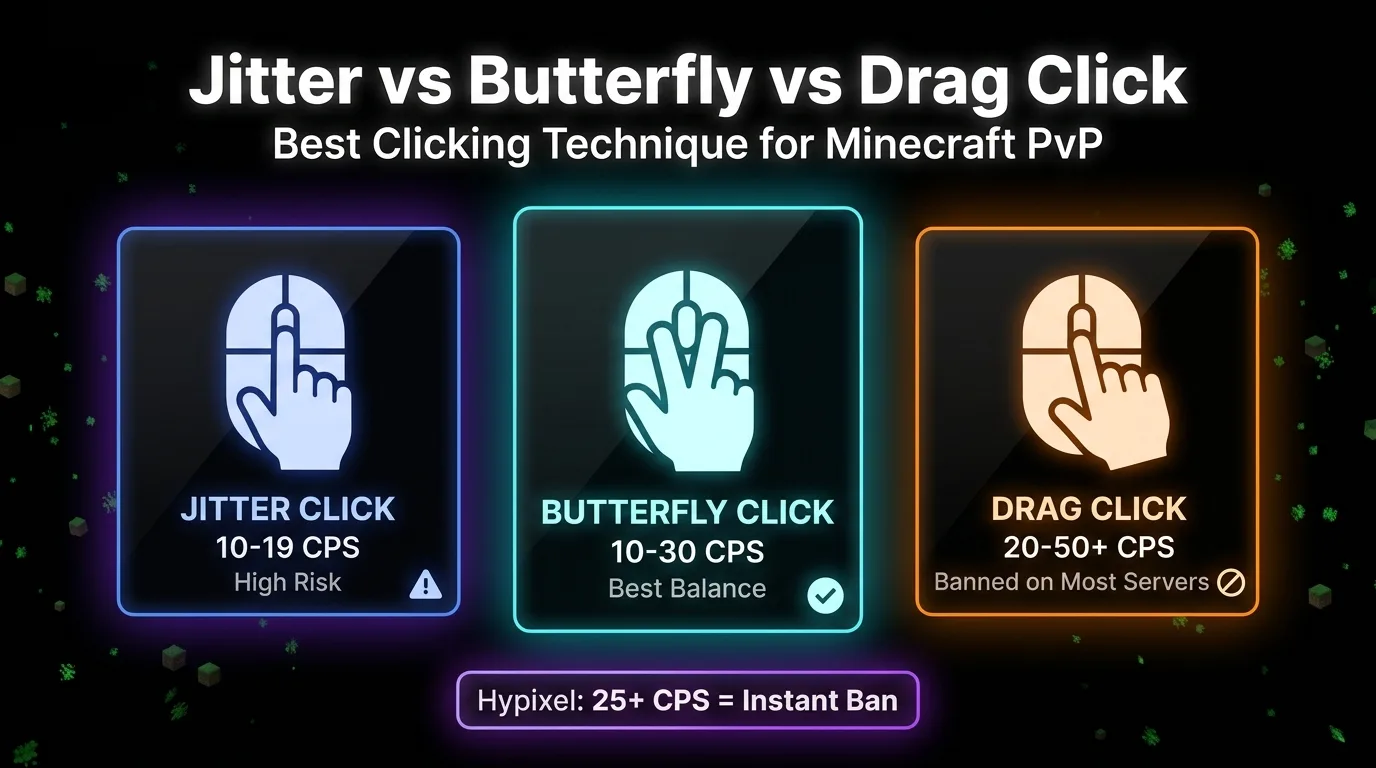
The best clicking technique for Minecraft PvP depends on your goal. Butterfly clicking gives the best balance of speed (10-30 CPS) and aim stability. Jitter clicking reaches 10-19 CPS but hurts accuracy. Drag clicking hits 20-50+ CPS but is banned on Hypixel and most competitive servers. Here is the full comparison so you can choose the right method for your playstyle.
Technique Comparison at a Glance
Take the free CPS test to see where you currently stand before committing to a new technique.
| Technique | CPS Range | Aim Impact | Health Risk | Hypixel |
|---|---|---|---|---|
| Regular clicking | 5-10 CPS | Best | Lowest | Allowed |
| Jitter clicking | 10-19 CPS | Poor | High | Allowed |
| Butterfly clicking | 10-30 CPS | Good | Medium | Allowed* |
| Drag clicking | 20-50+ CPS | None | Very High | Banned |
Butterfly clicking is allowed on Hypixel but Watchdog flags consistent 20-25+ CPS as unnatural. Fluctuating between 16-21 CPS is safer than holding a steady 20+.
Jitter Clicking: Fast But Costly
Arm and hand muscle tension converts into a rapid vibration. That vibration travels to your fingertip and fires the button in quick succession. Typical output sits at 10-14 CPS, with 19 CPS as the ceiling for most players.
Beginners often find their PvP performance gets worse before it improves after switching to jitter clicking. The muscle tension generating your clicks shakes your crosshair in ways that take weeks to get under control. Aim instability is the technique's biggest hidden cost, especially for anyone still building crosshair placement habits.
The American Academy of Orthopaedic Surgeons has documented esports musculoskeletal injuries with Carpal Tunnel Syndrome and forearm tendonitis as the primary risks from high-intensity clicking. Research from the University of South Dakota on nervous tissue RSI in esports competitors confirms these risks compound with session length. Jitter clicking accelerates the timeline because the technique demands continuous arm muscle tension for every second you are clicking.
Jitter clicking is hardware-agnostic. Your arm muscles do the work, not your mouse. Technoblade, famous for his $100,000 duel with Dream, competed on a Razer Deathadder 2013 throughout his peak years.
For the full step-by-step form guide and practice drills, see how to jitter click.
Butterfly Clicking: The Best Balance
Two fingers on one button, alternating turns. Your index and middle finger each press individually in sequence, and every press from either finger registers as its own click. That doubles your output from the same button with no extra arm effort.
Typical output is 10-20 CPS. Reaching 20+ CPS requires a mouse with adjustable debounce time. Standard debounce filters rapid alternating inputs as double-click errors rather than separate clicks. The Glorious Model O stands out in the Minecraft PvP community because its software lets you lower the debounce threshold so both fingers register at high speed.
Aim holds up far better than jitter clicking because your hand stays relaxed throughout. No forearm tension means no crosshair shake. The community calls this smooth aim, and the description is accurate. Your reticle stays controlled while the click count climbs.
Hypixel's Watchdog anti-cheat does not flag high CPS. It flags consistent CPS. Natural human clicking always fluctuates. A player holding a steady 22 CPS with no variation looks automated to Watchdog. A player bouncing between 16-21 CPS looks human. Butterfly clicking is not a ban risk if you play with natural variation.
For grip placement, rhythm drills, and the mouse settings that unlock 20+ CPS, see how to butterfly click.
Drag Clicking: Maximum CPS, Maximum Risk
Drag clicking is not a motor skill. It is a friction exploit. As your finger slides across the button surface, static friction accumulates until it exceeds its own coefficient and causes a brief slip. Each slip triggers the mouse switch. String those slips together across a single dragging motion and you get 20-50+ CPS, up to 80 CPS with modifications.
The numbers are not comparable to jitter or butterfly output on any player skill level. Those techniques are voluntary motor actions your nervous system controls. Drag clicking is physics running on your fingertip. You are not generating those clicks intentionally.
Mouse surface texture determines whether the technique works at all. The Redragon M711 Cobra, K1ING M916 PRO, TRIDENT M693, and STORM PRO M808 all have matte non-slip surfaces that support it. The Logitech G Pro X Superlight has the ideal texture but lacks software debounce adjustment, which limits consistent results. The Razer Deathadder and Logitech G502 do not support drag clicking without modification.
Most players add grip tape to their fingertip. Electrical or medical tape both work. The tape raises the friction coefficient, giving the slip mechanism more resistance to work against and pushing CPS higher.
The specific health risk for drag clicking is Guyon Canal Syndrome, compression of the ulnar nerve at the wrist. This is different from Carpal Tunnel Syndrome. The sustained pressure and friction patterns involved in drag clicking specifically stress the hypothenar eminence, the area below your little finger, where the ulnar nerve runs through the Guyon Canal.
Hypixel bans drag clicking outright. Watchdog cannot distinguish 40 CPS from drag clicking and 40 CPS from a macro. The output signature is identical from the anti-cheat's perspective. There is no safe version of drag clicking on the server.
For mouse compatibility testing and the full technique walkthrough, see how to drag click.
What Actually Matters in Minecraft 1.8.9 PvP
Minecraft 1.8.9 removed the attack cooldown that later versions introduced. Every click that connects registers a separate hit. Higher CPS increases how often you score hits and affects knockback in both directions: more clicks means more knockback dealt and less knockback received.
But 10 CPS is enough for most competitive scenarios. Eleven CPS is considered skillful. Everything above that returns sharply diminishing value compared to improving your movement and shot accuracy. For a full breakdown of where each number actually places you, see good CPS score benchmarks by skill level.
W-tapping resets your sprint between hits to maximize the knockback dealt per click. S-tapping creates distance mid-combo to control positioning and prevent your opponent from closing the gap. Both mechanics multiply the value of your hit registry without requiring you to click any faster.
Technoblade analyzed his $100,000 duel with Dream, a match that covered both 1.8 and 1.16 PvP formats. His own assessment pointed to mastery of 1.8 movement mechanics, specifically movement timing and consistent hit registry, as the deciding factor in close exchanges. Raw CPS was not the variable separating the two players.
Aim beats CPS every time. A player hitting 8 of 10 clicks at 8 CPS deals more damage than a player hitting 5 of 20 clicks at 20 CPS.
Which Technique Should You Use
Here is the decision broken down by situation.
Starting Out in PvP
Use regular clicking until you consistently reach 8-10 CPS with good accuracy. Build your crosshair placement and movement mechanics first. CPS above 10 returns almost nothing if your aim is still developing. Technique upgrades multiply what you already have.
Want Higher CPS Without Losing Aim
Go straight to butterfly clicking. Skip jitter entirely. Butterfly gives you a higher CPS ceiling and better aim stability than jitter in every direct comparison. There is no progression reason to learn jitter before butterfly. Start building that two-finger rhythm from day one with the how to butterfly click guide.
Playing on Hypixel or Any Major Server
Butterfly clicking or regular clicking only. Drag clicking is banned outright. Any technique that produces consistent 25+ CPS can trigger Watchdog regardless of how the clicks were generated. Keep your output naturally variable in the 16-21 range when butterfly clicking and you are not a ban risk.
Chasing Maximum CPS on Private or Casual Servers
Drag clicking is the answer if your server allows it. Verify your mouse supports the technique before committing to practice, expect faster switch wear from the friction, and understand the Guyon Canal Syndrome risk before making it a daily habit. The full how to drag click guide covers mouse compatibility and technique.
Frequently Asked Questions
Is butterfly clicking better than jitter clicking?
Yes for most players. Butterfly clicking gives you 10-30 CPS with better aim stability than jitter clicking. Jitter clicking reaches 10-19 CPS but the arm tension makes your crosshair unstable. You do not need to learn jitter before butterfly. Go straight to butterfly.
Is drag clicking allowed on Hypixel?
No. Hypixel's Watchdog anti-cheat bans drag clicking because the CPS it produces is indistinguishable from a macro or auto-clicker. Consistently hitting 25+ CPS from any technique is a near-guaranteed ban. Butterfly clicking is allowed but keep your CPS naturally fluctuating rather than holding a consistent 20+.
What CPS do I need for Minecraft PvP?
10 CPS is sufficient for most competitive PvP scenarios in Minecraft 1.8.9. 11 CPS is considered skillful. Above that the returns diminish quickly compared to improving your aim and movement mechanics like w-tapping and s-tapping.
What mouse is best for butterfly clicking?
The Glorious Model O is widely recommended because its adjustable debounce time allows it to register rapid alternating finger clicks as separate inputs. Adjustable debounce is the most critical hardware feature for butterfly clicking.
Is jitter clicking bad for your hands?
Yes over time. The American Academy of Orthopaedic Surgeons has documented Carpal Tunnel Syndrome and forearm tendonitis as primary risks from high-intensity clicking. Jitter clicking generates these risks faster than other techniques because of the sustained arm muscle tension it requires.
Can you butterfly click on any mouse?
You can attempt butterfly clicking on any mouse but you need adjustable debounce time to register both fingers as separate clicks at high speed. Without it the mouse treats rapid inputs as a single click or a double-click error. The Glorious Model O is the most recommended option for this reason.
Want to know your current CPS before choosing a technique? Take the free CPS Test on ToolsBracker. No signup, instant results.
Free, no signup, results in seconds.
Take the CPS Test